If you want more sales and trust, you should integrate social media into your WooCommerce store design by adding sharing buttons, Instagram feeds, social proof, and customer content directly into your store pages so visitors feel connected and confident to buy.
Many WooCommerce store owners work hard on Instagram, Facebook, or TikTok… but their online store feels completely separate.
That creates a real problem. Customers may love your social posts, but when they land on your store, they don’t see that same energy, trust, or community. The store feels empty, and they leave without buying.
A smart WooCommerce store design connects social media with shopping so your visitors stay longer, trust faster, and share your products naturally.
Key Highlights:
- Social media integration builds instant trust in your store
- Sharing buttons help customers promote your products for free
- Instagram feeds make your store feel active and real
- Social proof and reviews increase conversions
- Social login makes checkout faster and easier
In this blog, you’ll learn what social media integration means, why it matters, and how to integrate it into your WooCommerce store design step by step.
What Does Social Media Integration Mean?
Social media integration in WooCommerce store design means your online store feels connected to your social media presence. When people come from Instagram or Facebook, they should feel the same brand experience instead of a disconnected website.
It also means adding social features directly into your store. For example, customers can share products, see your Instagram feed, or read real reviews and customer photos. These elements help your store feel more active and trustworthy.
A modern WooCommerce store layout becomes part of your social world. It helps shoppers feel confident, stay longer, and connect with your brand in a natural way.
Why Is Social Media Important for WooCommerce Store Design?
Social media is not just about likes or followers. It influences how people discover products and decide what to buy. Many shoppers first see a product on Instagram or TikTok before they ever visit an online store.
According to a 2023 report by Statista, global social commerce sales are expected to reach over $2.9 trillion by 2026.
This shows that people already feel comfortable buying through social platforms. So if your WooCommerce store design ignores this behavior, you leave money on the table.
Here’s why social integration matters:
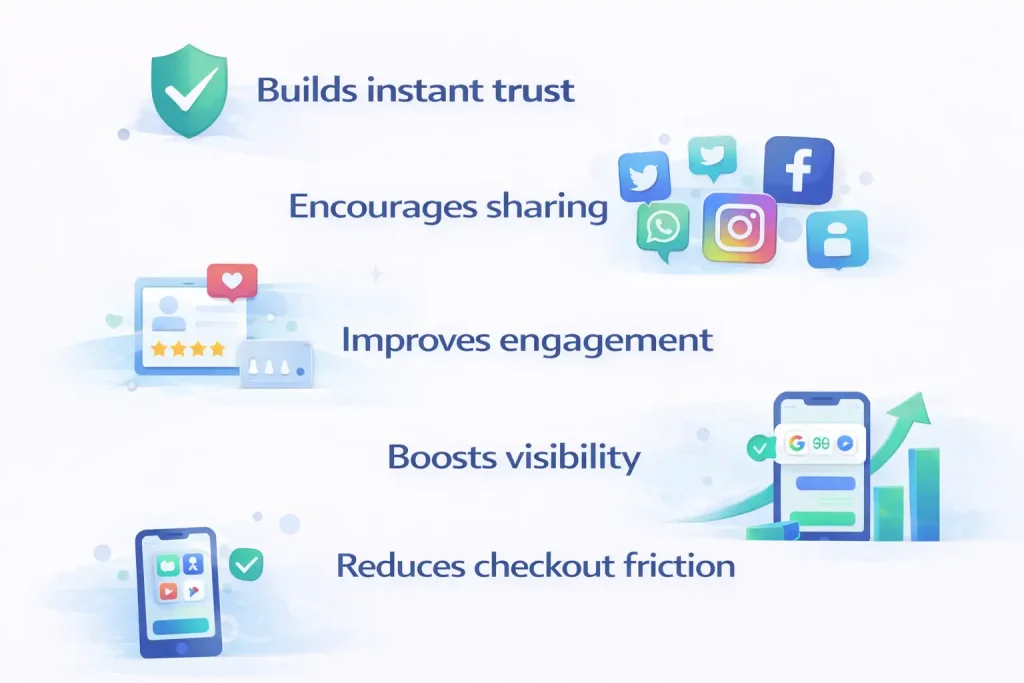
- Builds instant trust: People trust real customers more than brand messages.
- Encourages sharing: Customers can share products with friends and bring new visitors.
- Improves engagement: Visitors stay longer when they see real content and activity.
- Boosts visibility: Social traffic supports brand awareness and search presence.
- Reduces checkout friction: Social login makes the buying process faster.
When your design supports social behavior, customers move naturally from scrolling on social media to shopping in your store.
How Can You Integrate Social Media into WooCommerce Store Design?
You can connect social media with your WooCommerce store design by adding features that match how people shop today. Many customers scroll first and shop later. So your store should support that habit. Below are ten clear steps. Each one helps your store feel more connected, trusted, and easy to use.
1. Add Social Sharing Buttons on Product Pages
Start with social sharing buttons. When customers like a product, they often want a second opinion. So they send it to a friend. If sharing feels hard, they leave your store and may not return.
Place sharing buttons near the “Add to Cart” button. You can also add them under product images or inside blog posts. This keeps the sharing simple. As a result, your customers help spread your products without extra effort from you.
2. Embed an Instagram Feed on Your Homepage
Next, add your Instagram feed to your homepage. This shows visitors that your brand stays active. It also shows how real people use your products. When shoppers see real photos, they feel more connected.
Place the feed at the bottom of your homepage or on the shop page sidebar. Keep the layout clean so it supports your design. When your WooCommerce store design includes real social content, it feels alive instead of static.
3. Use User Generated Content for Trust
Customer content builds strong trust. People believe other buyers more than brand messages. So show photo reviews, short testimonials, or hashtag galleries on your product pages.
A Nielsen study found that 92% of consumers trust recommendations from individuals over advertising.
When visitors see real experiences, they feel safe. Then they move closer to making a purchase.
4. Add Social Proof Notifications
Social proof notifications show that other people shop in your store. For example, you can display messages like “Someone bought this today” or “12 people are viewing this product.”
These small signals reduce doubt. New visitors see activity and feel more confident. You can use tools like TrustPulse or NotificationX. Make sure notifications do not block important content. Keep them simple and clear.
5. Enable Social Login for Faster Checkout
Many shoppers leave during checkout because forms take too long. So offer social login options such as Google, Facebook, or Apple. This saves time and keeps the process smooth.
When login feels easy, customers complete purchases faster. Your WooCommerce store design should guide users forward, not slow them down.
6. Display Reviews and Ratings Clearly
Reviews are powerful trust signals. So show star ratings near product titles. Add a review section with customer images. Include verified buyer badges if possible.
When reviews stay visible, shoppers feel more secure. A product with no reviews feels risky. Clear ratings help customers decide without confusion.
7. Add Pinterest “Pin It” Buttons
Pinterest works like a visual search tool. Many users save products and return later to buy. So add “Pin It” buttons to product images.
This works well for fashion, home decor, beauty, and handmade items. When customers save your products, they keep your brand in mind for future purchases.
8. Create Social Media Shop Pages
You can also design special landing pages for social visitors. For example, create pages like “Shop Our Instagram Favorites” or “Trending on TikTok.”
These pages connect social content with direct shopping. When users click from social media and land on a matching page, they feel less confusion. This keeps the experience smooth and focused.
9. Keep Branding Consistent Across Platforms
Your store should match your social media pages. Use the same colors, fonts, tone, and style. When customers move from Instagram to your website, they should recognize your brand at once.
Consistency builds trust. It also makes your WooCommerce store layout look professional and organized.
10. Optimize Everything for Mobile Users
Most social traffic comes from phones. So design for mobile first. Use large buttons. Keep menus simple. Make images load fast. Keep checkout clear and short.
If your store feels hard to use on mobile, visitors leave. But when everything works smoothly, customers move from scrolling to shopping without stress.
When you follow these ten steps, your WooCommerce store design supports real customer behavior. Social media and your store no longer feel separate. Instead, they work together to build trust and increase sales.
Is Social Commerce the Future of WooCommerce?
Social commerce is starting to shape the future of WooCommerce in a very real way. Shopping does not begin the same way it used to. Most people do not open Google first. They open Instagram, TikTok, or Facebook. While scrolling, they notice a product, watch a quick video, and suddenly feel interested.
Social media also builds trust faster than a normal ad. When shoppers see real customers posting photos, leaving reviews, or sharing their experience, it feels more believable. That is why your WooCommerce store design should connect with this social world. A store that reflects social behavior feels more familiar and welcoming.
Your WooCommerce store still matters the most because it handles the full shopping experience. It shows product details, offers secure checkout, and represents your brand. Social media simply helps bring people there with more interest and confidence.
When your store and social platforms work together, everything feels smoother. Customers move from scrolling to shopping without confusion. That connection makes social commerce an important part of where WooCommerce continues to grow.
Closing Thoughts
Social media integration is not just a design trend. It is a way to build real connections. Your store should do more than look attractive. It should reflect how your audience interacts online every day. When your website feels connected to your social presence, the experience becomes seamless and familiar.
Today’s customers do not choose products based on price alone. They choose brands that feel genuine and relatable. They look for stories, community, and proof before they make a decision. When your store design and social media strategy work together, visitors feel more at ease. They spend more time exploring, build trust naturally, and move toward purchase with confidence.
Want to Build a Social Optimized WooCommerce Store?
Your store should not feel disconnected from your online community.
Nettsidedesign creates WooCommerce stores that integrate social media, improve trust, and increase conversions with clean design and real user behavior in mind.
If you want a WooCommerce store design that integrates social media, builds trust, and increases conversions, contact our team today.
Key Takeaways
- Social integration helps your WooCommerce store design feel active and connected to real people.
- Sharing buttons allow customers to spread your products and bring new visitors to your store.
- Instagram feeds show real time brand activity and build trust.
- User generated content like customer photos and reviews increases buying confidence.
- Social login makes checkout simple and reduces drop offs.
- Clear reviews and social proof help shoppers feel safe before purchasing.
- Mobile first design ensures social visitors can browse and buy without problems.
FAQs
How do I add social sharing buttons in WooCommerce?
You can add social sharing buttons by using plugins like AddToAny or ShareThis. Place them on product pages near the Add to Cart button so customers can share items easily with friends.
Does social media integration improve WooCommerce sales?
Yes, social media integration can improve sales. Features like sharing buttons, customer reviews, and social proof build trust and help visitors feel confident about buying.
What is the best social platform for WooCommerce stores?
Instagram and Pinterest work best for stores that sell visual products like fashion, beauty, or home decor. Facebook is also useful for building a community and running ads.
Should I embed Instagram feeds in my store?
Yes, embedding an Instagram feed makes your store feel active and real. It shows fresh content and helps new visitors trust your brand faster.
Can social login reduce cart abandonment?
Yes, social login reduces cart abandonment because it makes checkout quicker. Customers can sign in with Google or Facebook instead of filling out long forms.