If you are planning a new website or rebuilding the one you already have, you will face a big question: which website builder should you use? The answer depends on your goals, skills, budget, and future growth.
In this blog, you’ll learn the main things you should think about and share five simple tips to help you choose the best website builder for your goals.
Role of Right Builder in Your Online Growth

Before you jump into a particular platform, it’s important to understand why it’s important:
- Your website often makes a first impression on clients. It should load fast, look good on mobile, and work reliably.
- The platform you pick out influences how easy it is to update the website later, how much it costs over time, and how well it helps grow (for example, including an online store or blog).
- Using a builder that does not suit you can lead to extra work, slower site performance, or higher costs as you scale.
- Before you operate, you need to think about language support, local regulations (data privacy, GDPR), hosting location, and speed for Norwegian users.
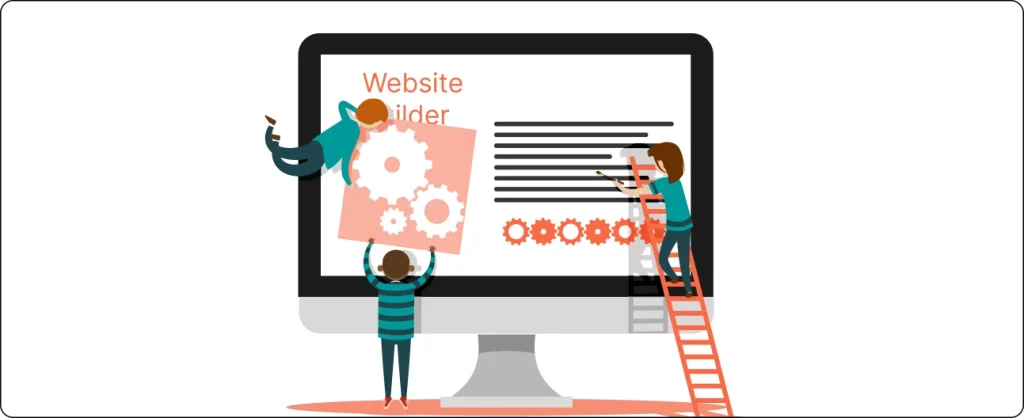
There are many website builders, such as WordPress, Shopify, and BigCommerce. Each platform works in a different way and has its own features. It’s helpful to understand these options before you decide which ones match your website needs.
Tips for choosing the best website builder
Here are the following tips for choosing the best website builder:
- Define Your Goals
- Compare Popular Builders and What They Offer
- Budget and Cost Over Time
- Performance, SEO and User Experience
- Choose a Platform That Supports Your Brand and Future
1. Define Your Goals
To choose the right website builder, start by defining what you want the website to do now and in the future:
- Do you need to sell products (e-commerce)?
- Do you need to publish a blog regularly?
- Will you want multilingual content (e.g., Norwegian and English)?
- Do you expect heavy traffic or a large amount of media (photos, video)?
- Who will maintain the site? Yourself, an internal person, or a professional agency?
- Do you anticipate growth? For example, expanding functionality (booking systems, user accounts, membership)
Once you list your goals, you can compare platforms. For example:
| Goal | Good Fit Builder Types |
|---|---|
| E commerce store with many products | Shopify / BigCommerce / WooCommerce on WordPress |
| Informational site with occasional updates | WordPress / Webflow |
| Very simple landing page or one page site | Hosted builder like Squarespace / Wix / Webflow |
2. Compare Popular Builders and What They Offer
Here are some of the common website builders and platforms:
WordPress with Elementor
WordPress with Elementor gives you both flexibility and visual control. Elementor is a drag and drop builder that works inside WordPress, making it easier to design without coding.
This option is best for blogs, business websites, or even online shops. It takes a bit more time to learn, but once you do, you can build almost any kind of website you need.
Wix
Wix is one of the most popular website developers for beginners. It offers a simple drag and drop editor that helps you to design pages without coding. You can pick from hundreds of templates and personalize them to match your logo.
It also includes built-in features for search engine optimization, blogs, and small online shops. However, in case your website grows and you want more control, you would find some limits with design flexibility and speed.
Squarespace
Squarespace is known for its modern and clean design templates. Many creative professionals and small companies choose it for portfolio and service websites. It is easy to use, even for beginners and does not require any coding skills.
It also offers strong built in tools for blogging, SEO, and image management, making it a good choice for visually focused websites. It also ensures your website looks great on both desktop and mobile screens. However, it can feel limited if you want full control over layout or custom features.
Webnode
Webnode is a good choice for small businesses and personal websites. It permits you to create multilingual sites, which is beneficial, as many businesses use both Norwegian and English. You can build pages and post them within minutes without technical skills.
This setup is quick, and the interface is simple to apply. It provides basic SEO tools and contact form options for simple website control. Still, it gives fewer designs and customization alternatives in comparison to large platforms like WordPress or Wix.
Webflow
Webflow gives you full design control and works well for agencies or designers who want custom layouts. It combines design flexibility with professional performance. It’s ideal for creating unique, high quality websites that stand out from standard templates.
You can also export your code or host direct with Webflow. It supports animations, dynamic content, and integrations with other tools. But because it’s more advanced, beginners may need time to learn how everything works
JIMDO
JIMDO is another easy tool for creating small websites. It offers ready made templates and an AI based setup that builds a site for you after a few questions. This makes it a good option for beginners who want to publish a site quickly.
It’s best for simple projects like personal portfolios, small stores, or landing pages. It also includes basic SEO and mobile responsive designs. For larger or more complex websites, its features can feel limited
Site123
Site123 focuses on speed and simplicity. It’s great for individuals who want a basic website up rapid without learning technical tools. It guides users through each step, making setup easy even for complete beginners.
It includes website hosting, templates, and simple SEO tools. You can upload text, photos, and contact forms without coding. The main drawback is that it gives limited freedom for layout and customization once your site is live
Duda
Duda is popular among web professionals who build multiple websites. It includes templates, responsive design tools, and fast website hosting. It also gives team collaboration tools that make it easier for designers and clients to work together.
It’s easy to manage and works well for small businesses. It supports multilingual websites and offers a range of SEO tools. However, the advanced features are for companies, and some users might also find that the pricing is higher than the basic builders
Joomla
Joomla is an open source CMS that gives strong control over design and content. It’s more technical than Wix or Squarespace but offers deep flexibility for developers. It also has a large community that provides extensions, templates, and technical support.
It suits users who want custom built websites with specific functions. You can manage complex content structures and multilingual pages. However, it requires more setup and technical knowledge, which can be a challenge for beginners.
Weebly
Weebly is simple and beginner friendly. It offers drag and drop tools, a blog feature, and built-in store options. It’s owned by Square, and it connects to payment systems. It also includes automatic mobile optimization, so your website looks good on any device.
It’s great for small shops or local service providers. But if you plan to scale your business, you might find its options limited compared to Shopify or WordPress.
3. Budget and Cost Over Time
Price is always a factor. Don’t only look at the initial cost. Think about ongoing costs:
Initial design and setup
If you hire an agency, there is a cost for design, theme or template customization, content import, layout, and testing.
Monthly/annual fees
For hosted builders (e.g., Shopify), you pay subscription fees. For self-hosted (e.g., WordPress), you pay for hosting, domain, and SSL.
Maintenance
Software updates, plugin updates, security, backups, and developer support if something breaks.
Scalability costs
As you grow, more traffic, more products, or add features like booking, membership, or integrations, your builder might require you to upgrade your plan (or hire a developer to customize).
Hidden costs
Payment gateway fees, premium plugins or extensions, custom components, translation/localization services, SEO, or performance optimization.
When you compare builders, you might find that one has a lower start cost but much higher maintenance costs later. For example, WordPress might be less expensive to begin if you use a standard theme, but in case you require custom plugin work or regular updates, that adds up. On the other hand, Shopify takes care of security and hosting for you, but may charge for premium apps or transaction fees.
Therefore, build a simple cost forecast over 1 year and 3 years for each candidate builder. This will often point you to the best long-term option for your business
4. Performance, SEO and User Experience
Your website must perform well for Norwegian users. Google and users expect speed, mobile usability, and good SEO. A slow website or a poor designed navigation will hurt operations. Here’s how to check that when picking a builder:
- Page load speed: Test how fast a sample template or demo site loads on mobile and desktop. Builders like WordPress + good hosting, or Shopify with optimized themes tend to perform well.
- Mobile responsiveness: Make sure your design adjusts well on phones and tablets. Many Norwegians browse via mobile devices.
- SEO ready structure: URL structure, metadata control, alt text for images, clean code. WordPress gives you much control. Some hosted builders require more effort or premium features.
- Accessibility: Norway has good expectations for accessibility. Your website should follow good accessibility practices (WCAG standard or similar).
- Security and backups: Ensure that SSL is included, backups are regular, and the builder or host protects against attacks.
Nettsidedesign.no emphasises building websites “that reflect your business with clear layout, easy navigation and mobile responsive design.”
That shows that your agency values performance and user experience. When you choose a platform, ensure it supports the same quality standards or allows your agency to build on top of it so those standards are met.
5. Choose a Platform That Supports Your Brand and Future

Finally, think about your brand identity and your future plans. These questions help you decide:
- Will your brand grow? Might you want to open more pages, add new services, or expand into new markets?
- Do you propose multilingual variations (for instance, Norwegian and English or different languages)?
- Do you need to integrate with third party tools (CRM, email marketing, booking systems, membership systems)?
- How much design freedom do you want? Do you need custom animations, flexible layouts, or will you use predefined templates?
- Do you prefer being able to export or move your website later to another host?
If your answer tends closer to needing more freedom, custom layout or scalable integrations, WordPress or a solution with more developer support might be best. If your goal is to launch fast, with minimal technical overhead, Shopify or a hosted solution might also fit you better.
Many Norwegian businesses use standard CMS platforms. To stand out, your design must reflect your brand, and performance must be smooth. You might want to differentiate with custom layouts, local content, or special integrations (for example, payment methods often used in Norway, local shipping setup, or integration with Brønnøysund register data, etc.). Your website builder must allow you to build that kind of custom feature if needed.
Start Building Your Website With Confidence
Choosing the best website builder is the first step toward creating a strong online presence. Nettsidedesign.no enables you to design and develop websites that match your goals, whether you need a simple business website, an online store or a custom built solution.
Our team guides you in selecting the best platform based on your needs, budget, and increase plan. Contact us and let’s start building a website that reflects your brand and helps your business grow
Key Takeaways
- Choosing the right website builder depends on your goals, skills, and budget.
- WordPress is great for flexibility and control, but it needs more setup work.
- Wix is beginner friendly and has many templates and AI design tools.
- Squarespace offers modern designs and strong built in features for creative users.
- Site123 is best for quick, simple websites with easy setup.
- Webflow gives full design freedom, but takes time to learn.
- JIMDO helps you create a small website fast with its AI setup.
- Duda works well for professionals and agencies that manage multiple sites.
- Webnode is a good option for multilingual websites, especially for small businesses.
- Each platform has pros and cons, so it’s smart to test before making your final choice
FAQs
What is a website builder?
A website builder is an online tool that helps you create a website without coding. It offers templates, drag and drop features and built in tools so you can design and publish your site easily.
Which builder is best for online stores?
Shopify and WooCommerce (on WordPress) are the top options for e commerce. They support Norwegian payment gateways, shipping options and allow you to manage products.
Can I switch website builders later?
Yes, it can be tricky, moving content, design and SEO settings between builders often takes time. It’s better to plan and choose a builder that can grow with your business.
What should you look for when choosing a website builder?
Choose one that is easy to use, offers good templates, SEO tools and mobile responsive design. Make sure it fits your website goals.
Which website builders have AI tools?
Wix, Zyro and Hostinger include AI tools that help create layouts, content and designs. These tools help save time and make it easier to build a professional looking site.