Are you starting an online store in 2026 and wondering how to make it fast, flexible, and easier to grow without ditching WordPress? If yes, Headless WordPress might be the smartest setup because it lets you keep WordPress for content while using a modern front end that loads quicker and feels smoother for shoppers.
A lot of people launch stores the “normal” way: WordPress + WooCommerce + a theme. That can work. But in 2026, online shopping feels more competitive than ever. People click, judge, and leave in seconds. They expect clean design, fast loading, and a checkout that doesn’t glitch. If your site feels slow or messy, visitors don’t wait, they bounce.
The good news: you don’t have to abandon WordPress to build a modern store. You can separate the parts. WordPress can stay as your content and product manager, while a separate front end handles what shoppers actually see.
Key Highlights:
- Keep WordPress for content, products, and updates, but make the storefront faster
- Improve user experience with a modern front end like Next.js
- Build for SEO and Core Web Vitals with better performance control
- Scale easier for traffic spikes, product growth, and future channels
In this blog, you’ll learn what Headless WordPress is, why it matters for eCommerce in 2026, when it’s worth it, and how to plan it without getting overwhelmed.
What is Headless WordPress?
A normal WordPress website works like one full system. WordPress stores your content. It also shows that content to visitors through a theme. So everything runs in one place.
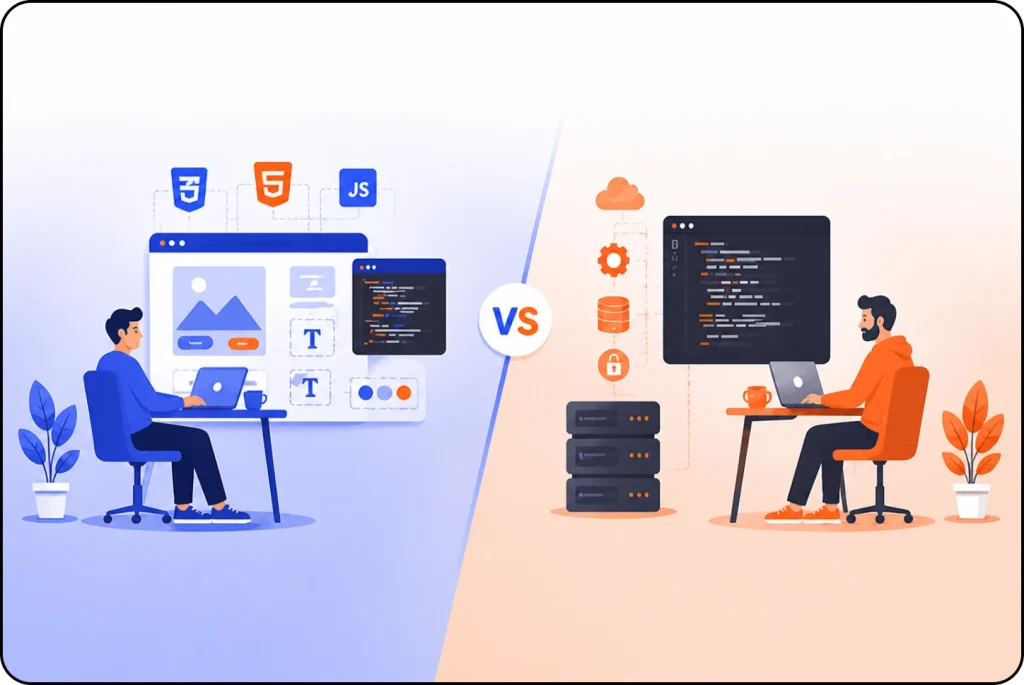
With Headless WordPress, you split the website into two parts. This gives you more control.
- Backend (WordPress): This is your dashboard where you add products, write blog posts, upload images, and manage orders.
- Frontend (Storefront): This is what customers see. It’s built with modern tools (like Next.js or React) that can load faster and feel more “app like.”
So WordPress becomes the “content brain,” and the storefront becomes the “shopping face.”
A quick analogy
Think of WordPress like a restaurant kitchen. The kitchen prepares the food. The dining room is the customer experience.
With headless, you keep the same kitchen and menu (WordPress + WooCommerce). But you upgrade the dining room. So it looks better, feels smoother, and serves people faster.
That is what Headless WordPress does.
Why does speed matter in 2026?
Because people don’t wait. They never did, but now it’s worse. If your site takes too long, shoppers leave before they even see your products. That hits your sales and your SEO.
Deloitte’s performance study found that even tiny speed improvements can lead to measurable growth in conversion rates and revenue in retail.
Also, Google has repeatedly pushed performance focused ranking signals, especially through Core Web Vitals, because user experience connects to real satisfaction.
So in 2026, speed affects:
- How many people stay on your store
- How many people buy
- How well you rank
- How effective your ads are
This is where Headless WordPress becomes more than a trend. It’s a performance strategy.
How does headless help SEO?
People often think “headless” means “SEO problems.” That usually comes from bad builds where pages don’t render properly for Google.
But when you do it right, Headless WordPress can help SEO because it lets you control performance and structure better.
Here’s what a modern headless storefront can do well:
- Serve pages faster with caching and pre rendering
- Improve Largest Contentful Paint (LCP) by loading main content quickly
- Reduce layout shift (CLS) with cleaner front end control
- Speed up navigation so product browsing feels instant
A smoother site also improves behavior signals like time on page and bounce rate. Even if you don’t obsess over metrics, shoppers feel the difference.
Headless SEO basics you should plan for
If you want strong SEO, your headless storefront should support:
- Clean URLs for products and categories
- Proper meta titles and descriptions
- Indexable category pages
- Schema markup for products (price, stock, ratings)
- Internal links that crawl correctly
This is why many headless stores use Next.js, it handles SEO friendly rendering well when configured properly.
Why choose headless WordPress?
Headless WordPress can help because it separates your store’s “front” from your “backend.” That simple change gives you more control over speed, design, and scaling.
Below are the biggest reasons people choose it.
1. Your store can feel faster and smoother
Shoppers click and expect instant loading. Headless helps because the front end can load pages like an app. So product pages, categories, and filters respond quicker. As a result, people browse more and leave less.
2. You get more design freedom
Themes can block your ideas. With headless, you design the storefront your way. You control layouts, sections, and mobile views. So your store looks like your brand, not a template.
3. It’s easier to scale
A small store is simple. A big store needs stability. Headless makes scaling easier because the front end can handle heavy traffic and caching better. So your store stays steady during sales, drops, and viral traffic.
4. You can sell across more channels
In 2026, people will buy from many places. Headless works well for:
- Websites
- Mobile apps
- Kiosks
- Marketplaces
- Social commerce pages
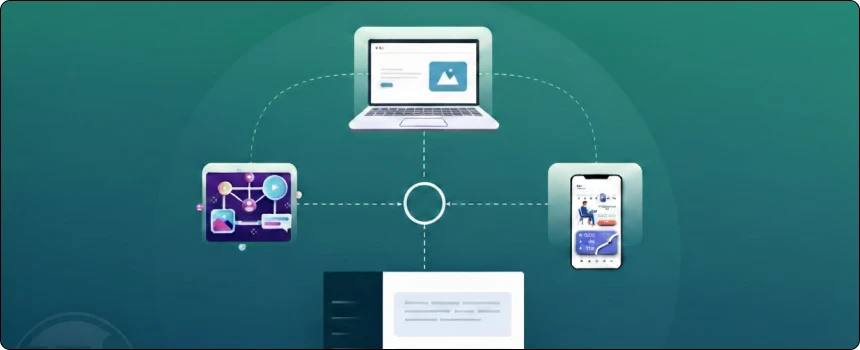
Because APIs power the setup, you reuse the same products and content everywhere. So you save time and stay consistent.
5. You can reduce WordPress exposure
In a normal setup, WordPress stays fully public. In headless, you can keep WordPress more hidden. That can lower common attack risk. Still, you must update WordPress and follow security basics.
When should you go headless?
Let’s be honest: headless isn’t for every store.
Headless WordPress is a good fit if you:
- Care a lot about speed and UX
- Want a custom storefront that doesn’t look like a theme
- Expect growth (traffic, products, content)
- Want stronger control over performance and SEO
- Plan to add mobile apps or other channels later
It might be too much if you:
- Want the cheapest and quickest launch
- Don’t have dev help
- Rely on lots of front end WooCommerce plugins
- Prefer “install theme and go” simplicity
A simple way to decide is this: If your store is a small test, go traditional first. If your store is a long term brand, headless is worth considering early.
How does the setup work?
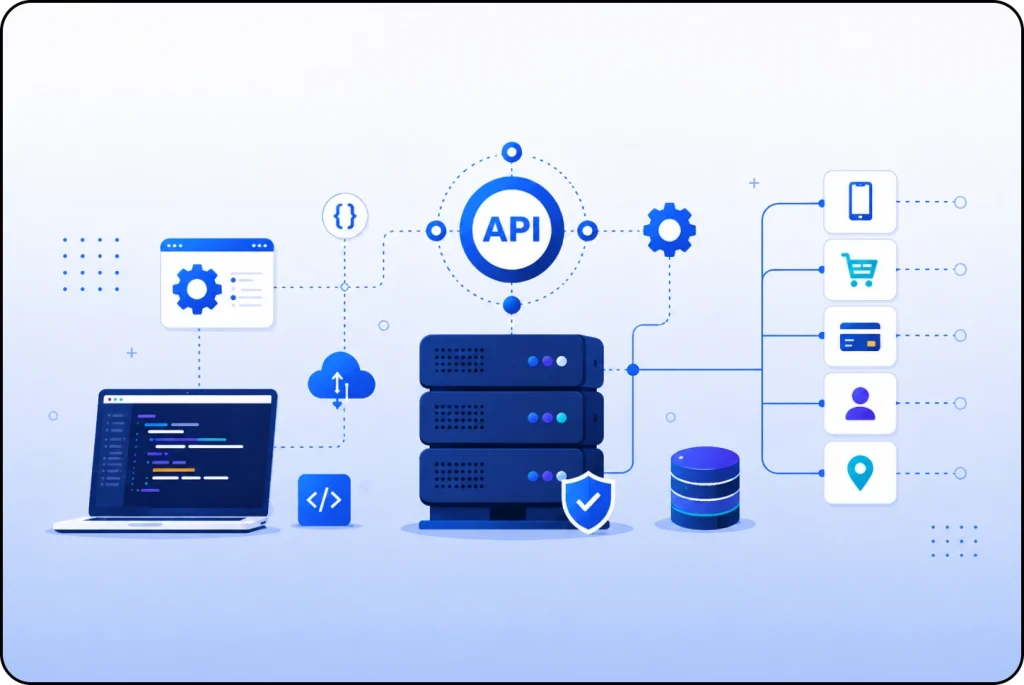
A headless setup works by splitting your store into two parts. WordPress runs the backend. A modern front end runs the storefront. Then an API connects them. This keeps WordPress for management, but gives shoppers a faster store.
Backend (WordPress)
The backend is where you control everything.
It usually includes:
- WordPress for pages, blog posts, and images
- WooCommerce for products, stock, orders, and customers
- An API layer to send data to the front end:
- WordPress REST API, or
- WPGraphQL (popular for headless builds)
So you still add products the normal way. You still write content in WordPress. But the storefront pulls that data through the API.
Frontend (Storefront)
The front end is what shoppers see.
Most stores use:
- Next.js or React for the storefront
- Fast product and category pages
- Hosting on platforms like Vercel (or similar)
- Extra speed tools like CDN caching and image optimization
Because the front end is separate, it can load pages faster. It can also handle modern design and smoother browsing.
What checkout option fits?
Checkout is the part you must plan early. You have three common options.
- Option A: Full headless checkout
You build the whole checkout as custom. It gives the best control. It also takes more work. - Option B: Hybrid checkout (best for beginners)
You browse products on the headless storefront. Then checkout happens on WooCommerce’s normal checkout page. This keeps things simple. - Option C: External checkout
You use Stripe Checkout or another tool. Then you connect it back to your store system.
For most new stores, hybrid checkout stays the easiest. It helps you launch faster and avoid checkout bugs.
How do you plan a Headless WordPress store?
This is the part that saves you time.
Step 1: Decide your main goal
Pick one main reason:
- Speed
- SEO
- Design freedom
- Scaling
- Omnichannel selling
This helps you avoid building “everything.”
Step 2: Set up WordPress properly
Even in Headless WordPress, your backend matters a lot.
You should:
- Choose reliable hosting
- Keep plugins minimal
- Secure admin login with strong passwords and 2FA
- Organize product categories cleanly
- Plan your content structure early (home, collections, product pages, blog)
Step 3: Choose REST API or GraphQL
- REST API: simpler, widely supported
- WPGraphQL: flexible, cleaner data fetching for complex storefronts
Step 4: Build the storefront with a modern framework
Next.js is a common choice because it supports:
- SEO friendly rendering
- Fast page loads
- Caching patterns
- Image optimization
Step 5: Add the “store features” that matter
The features that usually make a store feel premium:
- Fast search
- Filters (size, color, price, etc.)
- Product recommendations
- Reviews
- Clean mobile UI
- Analytics that don’t slow the site
Headless vs normal WordPress
Here’s a clear comparison.
| Feature | Traditional WordPress Store | Headless Setup |
|---|---|---|
| Launch speed | Faster to launch | Takes longer |
| Performance ceiling | Medium | High |
| Custom UI freedom | Limited by theme | Very flexible |
| Scaling for traffic | Depends on setup | Easier with modern caching |
| Plugin convenience | High | Medium |
| Omnichannel readiness | Low | High |
| Best for | Simple stores | Growth focused brands |
This is why Headless WordPress fits best when performance and long term growth matter more than a quick launch.
What does it cost?
The big cost is usually development, not hosting.
What you pay for
- WordPress hosting (backend)
- Storefront hosting (often scalable and not too expensive at first)
- Developer build time
- Optional tools (search, CDN, monitoring)
Quick cost mindset
Traditional stores cost less upfront but may feel limited later. Headless costs more upfront but can reduce rebuilding pain later.
And if speed improvements increase conversions, performance work can pay off over time.
Should you start headless?
Here’s a simple checklist.
Choose Headless WordPress early if:
- You already have traffic or a strong audience
- You plan to run ads and need fast landing pages
- Your brand depends on premium user experience
- You want to scale content marketing + eCommerce
- You want a future mobile app or extra sales channels
Start traditional first if:
- You’re testing a product idea
- Your budget is tight
- You want to move fast with minimal setup
- You don’t have dev help yet
Both paths can work. The key is choosing the one that matches your real situation.
Closing Thoughts
When I look at online stores in 2026, I notice one thing right away. The stores that win feel simple. They load fast. They look clean. And they make people feel safe enough to buy.
So building a store is not just “upload products and pick a theme.” That part is easy. The harder part is building a store that stays smooth when your traffic grows and your catalog gets bigger. You need a setup that can keep up.
That is why I think Headless WordPress deserves attention. It lets WordPress handle what it already does well, like content and product management. At the same time, it gives you a modern storefront that can feel faster and more flexible.
If you want to build a long term brand, this matters. Speed supports sales. SEO supports growth. And flexibility helps you change things without rebuilding everything. For many stores, headless is not “extra.” It is a strong foundation.
Ready to Launch a Faster Online Store?
You can start with a theme. Or you can build a store that feels modern from day one.
Headless WordPress can give you speed, control, and room to grow. But you need the right setup.
Nettsidedesign helps you plan and build an online store that fits your goals. We focus on clean design, strong SEO, and fast loading pages. So customers can shop with ease.
Reach out today. Tell us what you sell and what you want to achieve. Then we will guide you to the best solution.
Key Takeaways
- Headless WordPress separates your WordPress backend from your storefront frontend.
- A faster storefront can improve user experience and sales potential.
- Headless setups work well with modern tools like Next.js and API based content delivery.
- You can keep WooCommerce as your product manager while improving storefront performance.
- Headless fits best for brands that want growth, custom design, and long term scaling.
- Traditional WordPress may still be better for quick, low budget launches.
- Plan SEO basics early: indexable pages, metadata, internal links, schema.
- Use research backed performance thinking, tiny speed improvements can matter.
FAQs
Is Headless WordPress better than Shopify for a 2026 store?
It depends. Shopify is easier to launch and manage. Headless WordPress gives more control over content and custom storefront experience, especially if you want heavy blogging, SEO content, and flexible design.
Can I still use WooCommerce with a headless storefront?
Yes. You can run WooCommerce on the backend and pull products via API to your storefront. Many stores use a hybrid approach for checkout at first.
Will my plugins still work on a headless store?
Backend plugins still help with management, but front end display plugins may not work the same way because your storefront isn’t using a WordPress theme.
Is headless harder to maintain?
Usually yes, because you manage two systems (backend + frontend). But it can also be cleaner long term if you build it well and keep things organized.
Does Headless WordPress help Google rankings?
It can, mainly because it can improve speed and user experience when built correctly. But SEO still depends on content quality, site structure, and technical setup.
What is the easiest way to start headless without going full custom?
Do a hybrid build: use a headless storefront for browsing and content, but keep WooCommerce’s default checkout until you’re ready to customize it.