Have you ever wondered why your website doesn’t get enough leads or sales even though it looks good? Many websites fail not because of design, but because of hidden errors that drive visitors away. Small mistakes in speed, navigation, content, or technical setup can cost you traffic, trust, and conversions.
Key Highlights
- Slow pages and poor mobile experience hurt users.
- Confusing navigation and weak content reduce trust.
- 404 errors, server issues, SSL, and DNS problems block access.
- Regular fixes improve traffic, conversions, and results.
Nettsidedesign helps businesses fix real website issues with our web development solutions. We make your website reliable and easy to use.
In this blog, you will learn how to identify the most common website errors, from UX problems to technical issues. You will also find solutions to fix them and improve your website’s performance.
What Are Website Errors?
Website errors are problems that stop your site from working properly or make it hard for users to use. These errors appear in design, content, navigation, or technical setup. For example, pages load slowly, links do not work, or forms fail to submit.
Website errors affect user experience and business results. Visitors leave when they cannot find information or trust the site. Search engines also lower rankings for sites with technical or content problems. Fixing these errors improves your website and helps it reach its goals.
Why It Is Important to Solve Website Errors
Website errors block users from completing actions like buying, signing up or contacting you. When visitors face problems, they leave and rarely return. This reduces leads, sales and business growth.
Errors also hurt your website’s visibility. Search engines rank sites lower when pages load slowly, links break, or technical issues exist. Fixing errors improves user experience, builds trust and helps your website achieve its goals.
Common UX Website Errors
Here are the common UX errors that make visitors leave a website:
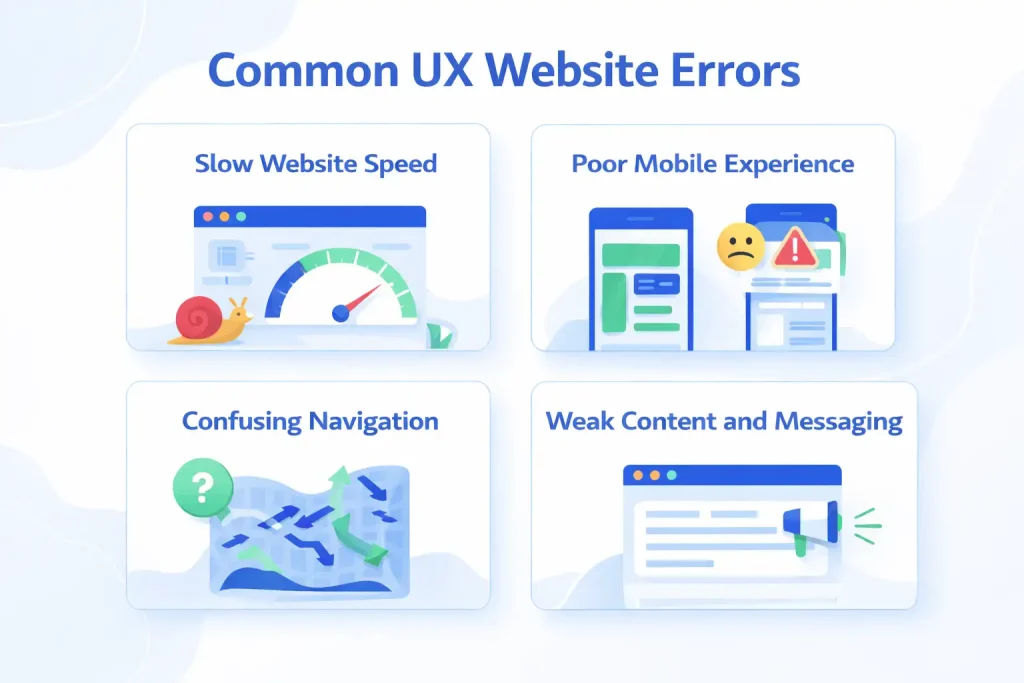
1. Slow Website Speed
People expect websites to load fast. If your website takes more than three seconds, many users leave. They don’t wait. They don’t read. They don’t buy.
Slow websites also perform worse on Google. Search engines prefer fast websites because they offer a better user experience.
Common causes of slow speed are:
- Large image files
- Cheap or weak hosting
- Too many plugins
- Heavy themes
- No caching
How to Fix it:
- Optimize images: Resize images before uploading. Use modern formats like WebP. Compress files without losing quality.
- Upgrade hosting: Shared hosting often causes delays. Use a reliable provider with good server performance.
- Remove unused plugins: Each plugin adds load time. Keep only what you really need.
- Enable Caching: Caching stores parts of your website so it loads faster for returning users.
- Use a Lightweight Theme: Avoid themes with too many features you never use.
Tools you can use:
- Google PageSpeed Insights
- GTmetrix
- Pingdom
These tools show what slows your website and how to improve it.
2. Poor Mobile Experience
More than half of the website traffic comes from mobile devices. If your website works only on desktop, you lose a large part of your audience.
A bad mobile layout leads to:
- Hard to read text
- Broken layouts
- Buttons too small to click
- Slow scrolling
Signs your mobile experience is weak:
- You need to zoom in to read
- Menus don’t open properly
- Forms feel hard to use
- Images break the layout
How to fix it:
- Use responsive design: Your site should adapt to all screen sizes automatically.
- Test on real devices: Don’t rely only on browser preview. Test on phones and tablets.
- Keep layout simple: Avoid large blocks of text. Use short sections and clear spacing.
- Make buttons easy to tap: Use enough space around links and buttons.
- Reduce popups: Popups block content and annoy users on small screens.
Tools you can use:
- Google Mobile Friendly Test
- Responsive Design Checker
- Browser Developer Tools (Chrome DevTools)
- Lighthouse (in Chrome)
3. Confusing Navigation
If users can’t find what they need in seconds, they leave. Navigation is not about design. It is about clarity.
Many websites fail because:
Menus contain too many items
Labels feel unclear
Important pages stay hidden
Common navigation mistakes include:
Using creative but unclear menu names
Hiding important services
No search option
Too many dropdown levels
How to fix it:
Use clear menu labels: Write what users expect. “Services” works better than “What We Do”.
Limit main menu items: Five to seven items are enough.
Add internal links: Guide users between related pages.
Highlight important pages: Contact, pricing and services should stay visible.
Use Breadcrumbs: They help users understand where they are.
Tools you can use:
Hojtar / Microsoft Clarity
Navigational Flow in Google Analytics
Treejack
Crazy Egg
4. Weak Content and Messaging
Design attracts attention, but content builds trust. If your message feels unclear or generic, users don’t take action. They leave without understanding what you offer or why it matters.
Weak content leads to:
- Lower engagement
- High bounce rate
- No conversions
Common content problems include:
- Long paragraphs
- No clear headings
- Focus on company instead of users
- No call to action
- Hard language
How to fix it:
- Write for users, not for yourself: Talk about their problems and solutions.
- Use short sections: Break content into readable parts.
- Add clear headings: Help users scan the page.
- Show real value: Explain how your service helps.
- Add strong calls to action: Tell users what to do next.
Tools you can use:
- Hemingway Editor
- Grammerly
- Content audit in Google Analytics
- Ahrefs/Semrush content audit tools
Technical Website Errors
Here are the common technical errors that can stop a website from working:
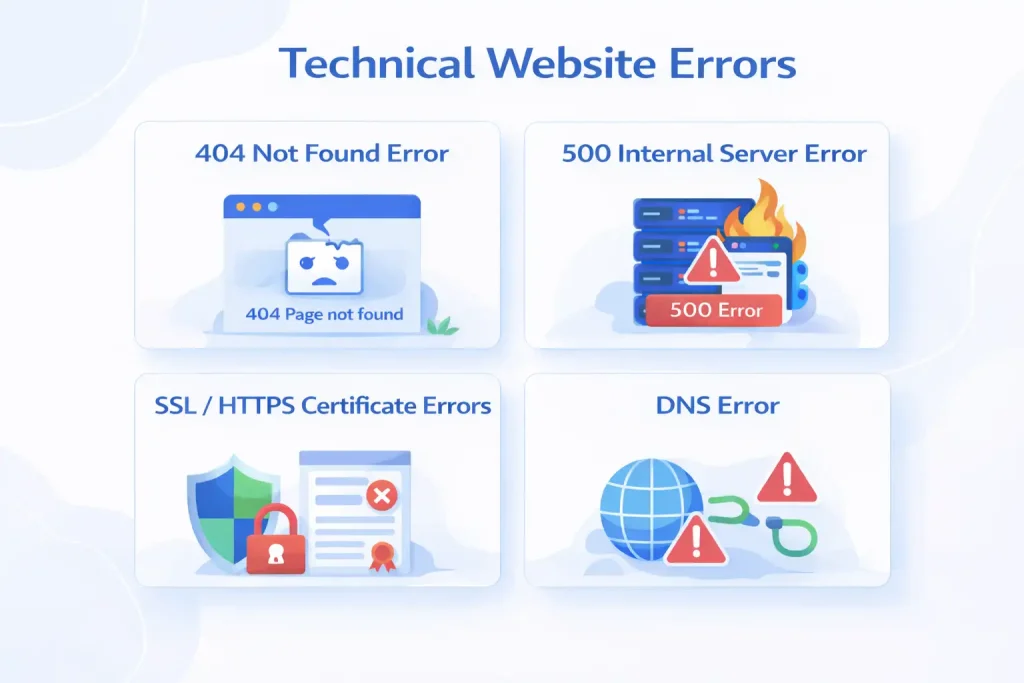
A 404 error appears when a user tries to open a page that no longer exists. This usually happens when:
- A page gets deleted
- A URL changes
- A broken link points to the wrong page
Users hit a dead end and feel frustrated. They often leave the website. Search engines also see broken links as poor site quality.
How to fix it:
- Scan your website with Screaming Frog to find broken links
- Set up 301 redirects from old URLs to new ones
- Create a custom 404 page with helpful links
- Check crawl errors in Google Search Console
Tools you can use:
- Screaming Frog
- Google Search Console
- Ahrefs Site Audit
500 Internal Server Error
This error happens when the server fails to load the website. The user does nothing wrong. The issue comes from the system itself.
Common causes include:
- Hosting problems
- Corrupt files
- Plugin conflicts
- Server overload
Visitors cannot access your website at all. This leads to lost trust and missed business opportunities.
How to fix it:
- Check error logs from your hosting provider
- Disable plugins and test the site
- Switch to a default theme
- Reset the .htaccess file
Tools you can use:
- Hosting error logs
- WordPress debug mode
- Server monitoring tools
SSL / HTTPS Certificate Errors
This issue appears when a website uses HTTPS, but some resources still load over HTTP. Browsers then show a security warning.
Users often see:
“Not Secure” in the address bar.
Visitors avoid filling out forms or making payments. They feel unsafe.
How to fix it:
- Install a valid SSL certificate
- Update all internal links to HTTPS
- Use a mixed content scanner
- On WordPress, use an SSL fix plugin
Tools you can use:
- SSL Checker
- Why No Padlock
- Chrome Developer Tools
DNS Error
A DNS error happens when a browser cannot find your website’s server. In simple words, the domain name does not connect to the correct location.
This usually happens when:
- DNS records are wrong
- Domain is not pointing to the hosting server
- Nameservers are misconfigured
- Domain renewal expires
If a DNS error occurs, your website becomes completely unreachable. Users see an error page instead of your website.
How to fix it:
- Check domain settings with your domain provider
- Make sure nameservers match your hosting
- Use a DNS checker tool to verify records
- Renew the domain on time
Tools you can use:
- DNS Checker
- Google Public DNS
- Cloudflare DNS
- MXToolbox
How These Errors Affect Your Business Goals
Website errors don’t just affect design. They affect business performance.
- Impact on Traffic: Search engines rank fast and mobile responsive sites higher. Slow or broken sites lose visibility.
- Impact on Conversions: If users feel confused or frustrated, they don’t fill out forms or make purchases.
- Impact on Brand Image: A messy website creates doubt. Users assume the same about your service.
Your website works as a digital salesperson. If it fails, you lose opportunities without knowing why.
Why DIY Fixes Often Fail
Many website owners try to fix problems using plugins or templates. This works for basic issues, but fails for deeper problems like:
- Poor user flow
- Weak messaging
- Structural SEO issues
- Conversion design
Tools can improve performance, but they don’t replace strategy. A website needs planning, not just features.
Simple Website Audit Checklist
You can use this checklist before hiring any developer.
Speed
- Homepage loads under 3 seconds
- Images load fast
- No heavy animations
Mobile
- Text is readable
- Buttons are easy to tap
- No horizontal scrolling
Navigation
- Main services visible
- Contact page easy to find
- Internal links working
Content
- Clear value proposition
- Short sections
- Strong calls to action
Trust
- SSL certificate active
- Contact details visible
- Real testimonials
Closing Thoughts
Most website errors look small on the surface, but they quietly damage user trust and business results over time. A slow page, a broken link or a security warning may seem minor, yet for visitors, these moments decide whether they stay or leave.
From my experience, the real problem is not the error itself, but ignoring it for too long. A website does not need to feel perfect; it needs to feel reliable, clear and easy to use.
Make Your Website Work For Your Business
Your website should support your business goals, not slow them down. If visitors leave without taking action, something is missing. Many problems stay hidden until they start affecting traffic and leads. A few smart improvements can change how users experience your website.
A website should answer three questions fast:
- What do you offer?
- Who is it for?
- What should I do next?
If your site fails here, no traffic will save it. Nettsidedesign helps businesses fix website issues with practical solutions. From speed and content to technical health, our web development services focus on what drives results. Contact us and let’s get started.
Key Takeaways
- Website errors affect business results, not only design.
- Slow speed and weak hosting reduce traffic and trust.
- Mobile issues push users to leave without action.
- Confusing navigation block conversions.
- Poor content fails to explain real value.
- 404 errors break users’ flow and harm SEO.
- Server errors can make a website inaccessible.
- SSL and DNS issues damage security and credibility.
- Small fixes can improve results more than full redesigns.
FAQs
How often should I check my website for errors?
At least every 3-6 months or whenever you notice slow speed, broken links or drop in traffic. Regular checks prevent bigger problems.
Can I fix website errors myself?
Some simple issues like broken links or image optimization can be done yourself. But technical errors like server problems or SSL issues are better handled by a web developer.
Will fixing these errors improve my Google ranking?
Yes, speed, mobile responsiveness, navigation and technical health all affect SEO. Fixing them can improve your visibility and rankings.
Should I hire a web developer for all errors?
Not always. Simple UX and content fixes can be done yourself. But server, SSL, DNS, or technical SEO issues require a professional.
What’s the first step to fix my website errors?
Start with a website audit. Identify the main issues, speed, mobile experience, navigation, content, or technical problems, then prioritize fixes that have the biggest impact.