Building a business website is a smart step for any company today. It’s your online shop that stays open all the time. People visit it to learn about who you are and what you offer.If you’re starting a new website for your business or fixing an old one, the basics matter most. They help people find you online and trust what you do.
This blog will explain 10 easy tips to help you set up a business website that looks good, works well, and helps your business grow.
Why Business Websites Matter
n the digital age, customers search online before they buy. A strong business website builds your first impression. It shows who you are, what you offer, and why people should choose you. Without one, you miss chances to reach new customers and grow your brand.
A business website isn’t just a few pages of text. It’s your marketing tool, your brand’s voice, and your digital home, all in one place.
1. Choose a Clear Purpose for Your Website

Before you start building, know why your website exists. Every business website starts with a purpose. Ask yourself what you want from it. Maybe you want to sell your products, get more people to contact you, or just share what you know.
When you’re clear about that, everything else becomes easier.
For example:
- Ecommerce websites focus on product pages and checkout speed.
- Service based websites focus on contact forms and customer trust.
- Informational websites focus on blogs, articles, and resources.
A clear purpose keeps your website simple, focused, and user friendly.
2. Pick a Good Domain Name

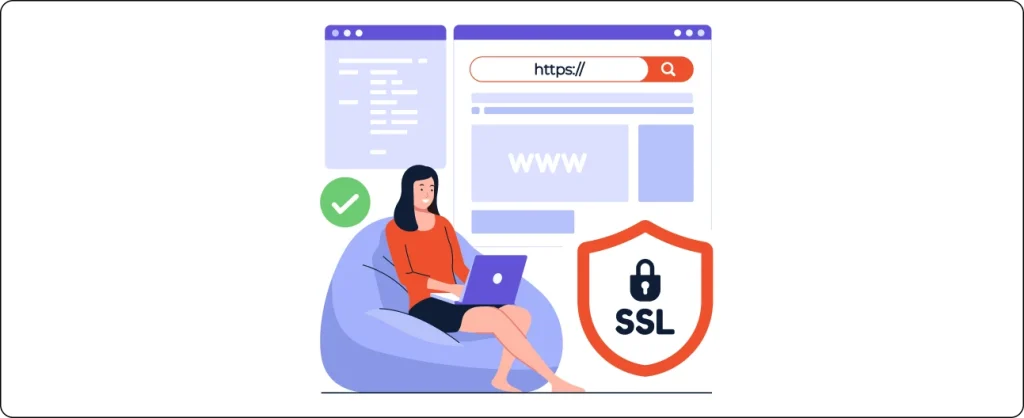
Your domain name is your online identity. It’s what people type to find you, like www.yourbusinessname.com. Choose one that’s short, easy to spell, and matches your brand name.
Here are a few quick tips:
- Keep it under 15 characters.
- Avoid numbers or hyphens.
- Choose a “.com” or local extension like “.no” for Norway or “.co.uk” for the UK.
- Make sure it’s unique and memorable.
A great domain name builds trust and makes your website easy to remember.
3. Use a Reliable Web Hosting Service

Your hosting provider is where your business website lives. A good one keeps it fast, safe, and always available.
When choosing hosting, look for:
- Speed: A slow website frustrates visitors and makes them leave.
- Uptime: Pick a host that keeps your site online almost all the time, around 99.9%.
- Security: SSL certificates keep your customers’ data safe.
- Support: Having help available 24/7 can fix problems quickly.
Some popular choices are SiteGround, Bluehost, and Hostinger. A reliable host makes sure your website works smoothly every day.
4. Plan a Simple and Clean Design

Your website should be simple and easy to use. Avoid too many colors or cluttered elements. A clean layout helps visitors find what they need quickly.
Focus on:
- Clear navigation menus.
- A readable font size.
- High quality images.
- White space for balance.
Think of your website like a store. If it looks messy, visitors leave. A clean design makes them stay longer and explore more.
5. Write Clear and Honest Content
Good content keeps visitors interested. Write in a friendly and direct way, just like you’d talk to a customer in person. Avoid long, complicated words.
Your business website content should explain:
- Who are you?
- What do you offer?
- Why are you different?
- How to contact you?
Add short paragraphs, clear headlines, and call to action buttons like “Contact Us” or “Get a Quote.” These small touches guide people toward taking action.
6. Make Your Website Mobile Friendly
Most people visit websites on their phones now. If your site doesn’t open well or look right on mobile, people leave fast and move to another one.
A mobile friendly website:
- Loads fast.
- Fits perfectly on smaller screens.
- Uses buttons that are easy to tap.
Google also ranks mobile friendly sites higher. So, make sure your website looks and works great on every device
7. Focus on SEO
SEO helps your website show up on Google when people search for your business. Without it, your site stays hidden.
Start with simple SEO steps:
- Use your main keyword naturally in your titles and text.
- Write unique meta titles and descriptions for each page.
- Use headings (H1, H2, H3) properly to organize your content.
- Add internal links to your other pages.
SEO takes time but brings long term results. The goal is simple: help search engines and real people find your website easily.
8. Add Essential Pages
Every business website needs a few key pages to look complete and professional. These include:
| Page Name | Purpose |
|---|---|
| Home | Introduces your business and highlights what you offer. |
| About | Tell your story and build trust. |
| Services/Products | Lists what you sell or do. |
| Contact | Helps people reach you easily. |
| Privacy Policy | Shows you care about user data. |
| Blog (optional) | Shares helpful posts and improves SEO. |
These pages make your website look organized and reliable.
9. Use Clear Calls to Action (CTAs)
A business website should guide visitors to take action. Without CTAs, people leave without doing anything.
Examples of strong CTAs:
- “Get Started Today”
- “Book a Free Consultation”
- “Shop Now”
- “Download Our Guide”
Each page should have one clear action that matches its goal. Keep it simple and visible, don’t make visitors guess what to do next
10. Track and Improve Performance
Once your website is live, keep improving it. Use free tools like Google Analytics and Google Search Console to track how people use your site.
Check:
- Which pages get the most visits.
- How long people stay.
- What keywords bring traffic.
- Where users drop off.
This data helps you make better decisions, like updating weak pages or adding new content. A good website for business always grows and improves over time.
Common Mistakes to Avoid When Building a Business Website
Small mistakes can stop your website from doing well. Here are some to watch out for:
- Ignoring SEO: People won’t find your site.
- Poor design: Too many colors or clutter make visitors leave.
- No mobile version: Half of your audience may not see your site properly.
- Weak content: Generic text doesn’t make people trust you.
- Missing contact info: Customers can’t reach you.
Keep your website simple. Test everything. Stay consistent. This helps people use your site and trust your business.
Ready to Build Your Business Website?
Building a business website is more than putting words and pictures online. It creates a space where people feel ready to choose your brand.
Nettsidedesign.no will help you create a business website that looks great, and brings real results.
Contact us today to get started!
Key Takeaways
- A business website is your online home and sales tool.
- Choose a clear purpose before designing.
- Keep the domain short and easy to remember.
- Invest in reliable hosting for speed and security.
- Focus on clear writing, mobile design, and SEO.
- Add essential pages with strong CTAs.
- Track performance regularly and make small updates.
- Avoid clutter, confusion, and unclear messaging.
FAQs
1. How do I start building a website for my business?
Start by choosing a domain name, a hosting plan, and a website builder like WordPress or Wix. Then, plan your design, write simple content, and launch step by step.
2. How much does a business website cost?
It depends on your needs. A basic site might cost around $100 to $300 per year, while a professional website with custom design can cost more.
3. Why is SEO important for business websites?
SEO helps your website appear on Google when people search for your products or services. It’s how you get free, organic traffic instead of relying only on ads.
4. Can I build a website myself or should I hire someone?
If your business is small, you can start on your own using drag and drop builders. For bigger projects or long term goals, hiring a professional ensures better design, SEO, and performance.