A universal website is a website that everyone can use. It does not matter if a person has reduced vision, hearing loss, reading challenges, or uses assistive tools. Universal design removes barriers, so every visitor can find information, understand content and complete actions without stress.
Universal design is not only a “nice to have”. It is a requirement. Public and private companies must follow the WCAG standard to give all users equal access to digital services. If a website is not accessible, many people get excluded and that affects both trust and business.
This guide explains what universal website design is. You’ll learn its importance and how you can check if your website meets the standard.
Why is Universal Design Important?
Universal design makes the internet better for everyone. When a website works for people with different abilities, it becomes clearer, easier to use, and more accessible for all visitors.
Why is Universal Design Important?
Universal design makes the internet better for everyone. When a website works for people with different abilities, it becomes clearer, easier to use, and more accessible for all visitors.
Improves the User Experience
Visitors should not struggle to read, navigate or understand what to click. A universally designed website gives them a smooth and stress free experience.
Required by Norwegian Law
Norway follows the regulations for universal design of information and communication technology (ICT). Businesses must follow WCAG guidelines. The Authority for the Universal Design of ICT makes sure this regulation is followed. It also offers helpful guidance and practical solutions on its website. The Regulation on the Universal Design of ICT Solutions explains the minimum requirements that must be met.
Increases Reach and Engagement
When your website works for everyone, more people can use it. That means more potential customers, better conversion rates and stronger trust.
Builds a Positive Brand Reputation
A website that includes all users shows responsibility and care. It strengthens your brand and shows that your business takes accessibility seriously.
WCAG - The Most Common Accessibility Standard
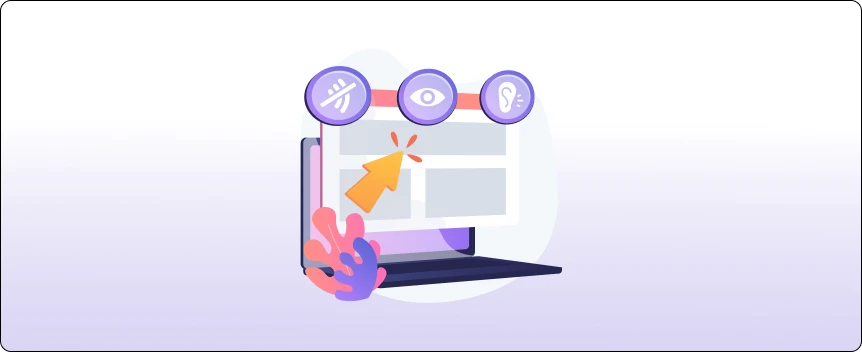
WCAG stands for “Web Content Accessibility Guidelines.” It is the global standard used to measure digital accessibility. Uutilsynet uses WCAG as the foundation for website inspections.
WCAG is built on four main principles often referred to by the acronym POUR. These principles ensure that digital content meets the needs of all types of users.
Perceivable
User must be able to see or hear the content. If they cannot see images, there must be text alternatives. If they cannot hear audio, there must be subtitles.
Operable
User must be able to navigate the website. All actions should work with a keyboard, not only a mouse. The user should never feel stuck or unsure about how to move forward.
Understandable
The content must make sense. Language should be clear. Forms, instructions and menus must be simple to follow. Visitors should understand what to do without guessing.
Robust
The website should work well across browsers, devices and assistive technologies. It must stay functional even when technology changes or updates over time.
Characteristics of a Universally Designed Website
To understand universal design, it helps to look at the essential qualities. A website is considered universal when:
- It is easy for everyone to read the text: clear language, good text structure, readable font size, and proper spacing help the user understand the message.
- All images have alternative text: Images require descriptions for visitors who use screen readers to comprehend the content.
- Videos have subtitles: People with hearing challenges or in noisy environments depend on subtitles.
- Buttons and links are clear: Clickable elements should be distinctive and recognizable.
- The website must work with assistive technology: Screen readers, keyboard navigation, speech tools, and other aids must work well.
- The color contrast is sufficient: Good contrast accommodates visitors with low vision and makes the website easier for all to read.
- The structure is logical: Headings, paragraphs, lists, navigation menus and forms have to follow a simple and predictable structure.
These basic qualities make a website easier for all users, not only those that rely on digital aids.
How to Check if Your Website Follows Universal Design
You can check your website for universal design by reviewing a few important areas. These steps help you understand if your website is easy for everyone to use, including people who rely on assistive tools.
Below are the important things you should inspect, along with what they mean in practice:
1. Look at the Structure of Your Text
A good text structure helps all users read and understand your content. Start with one H1 as the main page title. Use H2 headings for the key sections and H3 for smaller points under each H2. Only use H4 if you need extra details.
2. Make Sure All Videos and Audio Have Subtitles or Transcripts
Many users cannot hear audio or prefer watching videos without sound. Subtitles help them understand the content. Check that:
- Every video includes subtitles
- Audio recordings have written transcripts
- Captions follow what is actually being said
This simple step makes your content accessible to more people.
3. Review Your Links
Links should explain where the user will go. If the link text is unclear, some visitors will feel lost. Use link text that describes the destination, not vague words like “click here.” Make sure all links work and do not lead to empty error pages.
Good link example:
“Read our full guide to universal design.”
Bad link example:
“Click here.”
Make sure all links are easy to understand and work well.
4. Add Alt Text to All Images
Alt text describes an image for users who cannot see it. Screen readers read this text aloud so the user knows what the image shows. Check that:
- Every image has alt text.
- The description matches the purpose of the image
- You avoid keyword stuffing
Alternative text gives equal access to information for people with visual challenges. It also helps search engines understand your images better, which improves both usability and overall website quality.
5. Test the Structure of Your Documents
If you upload PDFs or other files, they must also follow universal design rules. Make sure the document has clear headings, a logical reading order, tagged tables, and real text instead of images of text.
Accessible documents make it easier for users who download information or rely on screen readers to understand the content without difficulty.
6. Check Keyboard Navigation
Some people cannot use a mouse. They use the keyboard to move through the website with their keyboard. Test this by using only the Tab key to navigate and see if all buttons, menus and form fields can be reached.
Make sure the focus outline is visible and nothing gets stuck while moving from one element to another. If the website cannot be fully used with a keyboard, users with mobility challenges will struggle to interact with it.
7. Test the Color Contrast
Poor contrast makes text difficult to read, so it’s important to check if your text is easy to see against the background, if buttons stand out clearly and if important content is not hidden by low contrast.
Use simple contrast checker tools to measure this and make sure your website remains readable for all users, including those with low vision.
8. Test the Website on Different Devices
Your website must work on mobile, tablet, laptop, and desktop.
Look for:
- Text that adjusts to screen size
- Images that resize to fit any screen
- Buttons that remain easy to click
- Menus that open without issues
Many users browse on mobile, so mobile accessibility is very important.
Simple Actions You Can Take Today
You do not need to redesign your entire website at once. You can start with easy changes:
- Adjust the font size
- Improve color contrast
- Add alt text to all images
- Add subtitles to videos
- Fix broken links
- Rewrite long paragraphs into shorter ones
- Use clear and simple language
- Make buttons large enough for easy clicking
- Check keyboard navigation
Small improvements can make a big difference for users.
Want to Build a Universal Website Design?
Universal design makes using a website easier for all people, and helps you meet Norwegian accessibility standards. Want a website that gives the impression of clarity, modernity, and ease of use? Nettsidedesign.no can help you create a solution that will ensure a smooth experience on any device.
We design websites that are easy to navigate, simple to understand, and built for all users with or without assistive tools. Whether you want to improve your current website or start fresh with an accessible design, contact us. We can help guide you through every step.
Key Takeaways
- Universal design makes websites easy for everyone to use.
- Use clear headings like H1, H2, and H3.
- Add subtitles or transcripts to all videos.
- Links should show where they lead.
- All images need simple and clear alt text.
- PDFs must have real text and a correct structure.
- Your website should work with keyboard navigation.
- Use strong contrast so the text is easy to read.
- Text the website on different devices and tools.
FAQs
What is meant by accessibility?
Accessibility means making websites, services, or spaces easy for everyone to use, including people with disabilities.
Is universal design required by law?
The law says that businesses and organizations that serve the public must make their services and facilities accessible and usable for everyone.
What are the seven principles of universal design?
The seven principles are: equitable use, flexibility, simple use, perceptible information, error tolerance, low physical effort and adequate size/space.
Does universal website design improve SEO?
Yes, older websites can be fixed by improving structure, contrast, navigation and accessibility settings.